Commercial Access Control
Is Your Commercial Access Control System Showing Its Age?
Many businesses continue using access control systems that still open doors, but a system that unlocks a door is not necessarily providing the security, visibility, integration and flexibility your facility needs today.
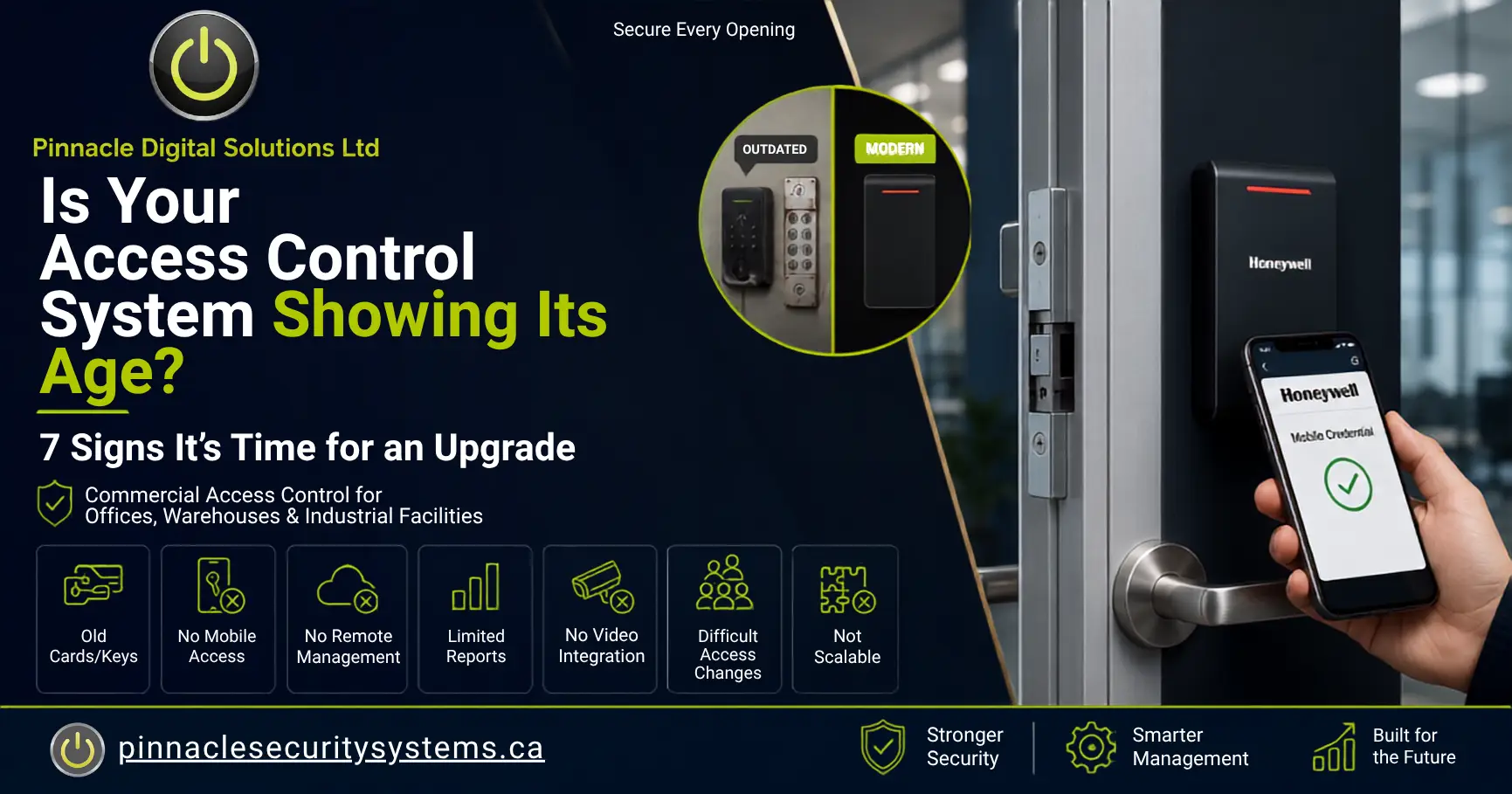
Older access control systems may depend on outdated credentials, limited reporting, unsupported software, disconnected security devices and time-consuming administrative processes.
These limitations can create security gaps as an organization grows, changes locations, hires new employees, adds contractors or introduces new operational requirements.
A modern commercial access-control system should help manage people, doors, schedules, restricted areas, security events and multiple business locations from a practical and secure platform.
Warning Signs Your Access Control System May Be Outdated
Your System Relies on Outdated Access Cards or Physical Keys
Traditional keys and older access cards may still function, but they can be difficult to manage securely.
When a physical key is lost, copied or not returned by a former employee, the business may need to replace locks or rekey multiple doors. Older card technologies may also provide fewer credential-management and identity-verification options.
A modern system may support:
- Smart access cards
- Mobile credentials
- PIN-based authentication
- Multi-factor access
- Biometric readers where appropriate
- Temporary visitor and contractor credentials
Your System Does Not Support Mobile Access Control
Mobile access control allows an authorized smartphone to function as a secure digital credential.
Instead of issuing and replacing physical cards for every user, an organization may be able to assign, update or deactivate compatible mobile credentials through its access-control platform.
Mobile credentials may help provide:
- Faster credential distribution
- Fewer replacement-card requests
- Easier removal of former users
- Convenient employee access
- Temporary contractor access
- Reduced dependence on shared cards or keys
You Cannot Manage the System Remotely
Facility managers and security administrators should not always need to be physically present at a specific workstation to make an urgent access change.
Modern cloud-managed or securely remote-accessible systems may allow authorized administrators to:
- Add or deactivate users
- Change door permissions
- Review access events
- Update schedules
- Manage approved doors
- Support multiple locations
- Investigate unusual activity
Remote access should always be configured with appropriate authentication, permissions, cybersecurity controls and administrative oversight.
Your Reporting and Audit Trails Are Limited
When a security incident occurs, your team may need to know which credential was used, when the door was accessed, whether access was granted or denied and whether related camera footage is available.
Modern access-control reporting may help identify:
- Access attempts outside approved hours
- Repeated denied-access events
- Doors that are forced or held open
- Credentials that are no longer being used
- Employees with unnecessary permissions
- Temporary credentials that remain active
- Differences between job roles and assigned access
Your Access Control Does Not Integrate with Video Surveillance
Access control identifies the credential presented at a door. Video surveillance helps show what physically occurred at that location.
An integrated security solution may connect:
- Access-granted events
- Access-denied events
- Forced-door alarms
- Door-held-open events
- Intrusion alarms
- Intercom activity
- Relevant camera footage
Connecting door events with camera footage can provide more context and help security personnel respond faster.
Managing Employee and Visitor Access Is Complicated
Adding a new employee should not require multiple manual steps across disconnected systems.
An outdated process may involve:
- Shared spreadsheets
- Manually programmed cards
- Separate databases for different buildings
- Limited role-based permissions
- Credentials remaining active unnecessarily
- Difficulty managing temporary workers
- No structured contractor or visitor process
Modern systems can organize access according to roles, departments, locations, schedules or access groups.
Your Business Has Grown, but Your Security System Has Not
Businesses change over time, but their security systems are not always reviewed when operations change.
Your organization may have added:
- New employees
- Additional operating shifts
- More warehouse space
- New loading docks
- Additional entrances
- Restricted storage areas
- Multiple facilities
- New tenants or contractors
A system installed for a small office may not be suitable for a manufacturing facility, warehouse or multi-location organization.
What Can a Modern Commercial Access Control System Include?
A properly designed solution can provide much more than electronic door access.
- Centralized user management
- Mobile and card credentials
- Role-based permissions
- Access schedules
- Remote administration
- Real-time monitoring
- Detailed reporting
- Visitor access management
- Elevator access control
- Parking-gate control
- Video integration
- Intrusion-alarm integration
The goal is to create an access-control system that matches how your people, buildings, security policies and daily operations actually function.
Should You Replace or Upgrade Your Existing System?
Not every outdated access-control system requires a complete replacement.
Depending on the condition and compatibility of the existing equipment, it may be possible to retain certain components while upgrading others.
A professional assessment should review:
- Existing controllers and access-control panels
- Door readers
- Door locks and locking hardware
- Power supplies
- Network connectivity
- Credential technology
- Access-control software
- Manufacturer support
- Cybersecurity requirements
- Camera and alarm integrations
- Future expansion requirements
An upgrade may involve replacing management software, migrating credentials, updating readers, improving network infrastructure or integrating the system with additional security technologies.
Access Control for Different Industries
Every facility has different operating and security requirements.
Warehouses and Distribution Centres
Control staff entrances, loading docks, inventory areas, shipping offices, equipment rooms and after-hours access points.
Manufacturing Facilities
Manage access to production areas, maintenance rooms, equipment zones, storage areas and employee entrances.
Commercial Offices
Support employee access, visitors, elevators, parking areas, tenant separation and flexible operating schedules.
Healthcare Facilities
Restrict access to staff-only areas, records rooms, laboratories, medication storage and sensitive operational spaces.
Multi-Location Businesses
Centralize administration, access policies, credential management and reporting across multiple properties.
Industrial Facilities
Protect gates, production zones, equipment rooms, loading areas, outdoor storage and restricted operational spaces.
Questions to Ask Before Upgrading
- Which doors require controlled access?
- Who needs access to each area?
- When should access be permitted?
- Which areas require higher security?
- How will contractors be managed?
- Should mobile credentials be used?
- Should cameras connect with door events?
- Will more doors be added later?
- Who will administer the system?
- What reporting is required?
Is Your System Ready for the Next Five Years?
An access-control system should support your business as it changes.
If your current system is difficult to manage, provides limited reporting, cannot support mobile credentials or does not integrate with your other security systems, it may be time for a professional review.
Pinnacle Digital Solutions designs, installs, integrates and supports commercial access-control systems, Honeywell security solutions, video surveillance, intrusion detection and integrated security systems across Mississauga, the Greater Toronto Area and Ontario.
Frequently Asked Questions
How long does a commercial access-control system last?
Does an older access-control system need to be completely replaced?
Can access control integrate with security cameras?
Are mobile credentials suitable for every facility?
Does Pinnacle install Honeywell access-control systems?
Request a Commercial Access Control Assessment
Speak with Pinnacle Digital Solutions about upgrading outdated access cards, door readers, management software, mobile credentials, reporting and integrated commercial security systems.
Leave a Comment
Have a question about upgrading a commercial access-control system? Share it below.